Advanced GPS Tracking Software Platform
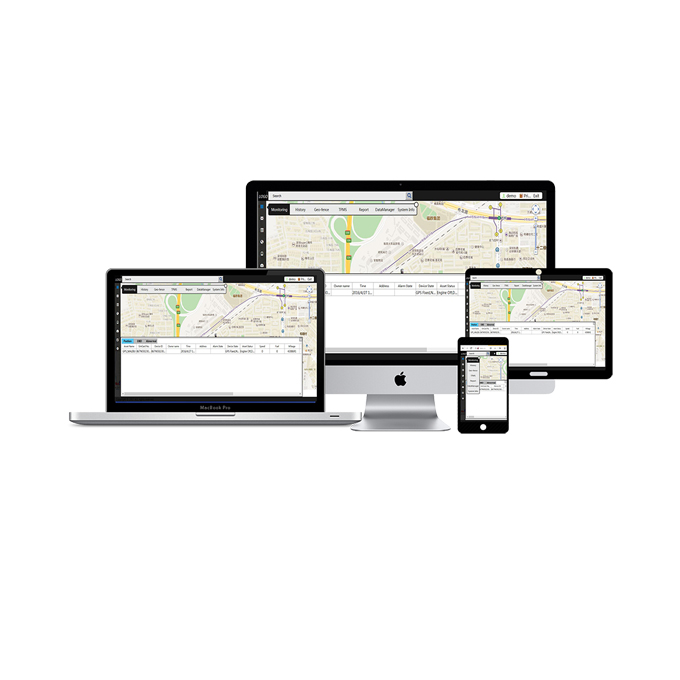

● Advanced programming language on client end: angular.js and typescript
● B/S software structure for easy marketing and daily maintenance
● C++ Server end design
● Support 400,000 devices real time monitoring
● Database of SQLServer
Software Description
Monitoring
● Online tracking vehicles list: flexible tracking list display. Online /offline indication
● Group type: Default ; device type; client Name; Owner name; Owner Telephone; Owner Address
● Mouse-on display:
Asset name; device ID; Time; Address; Device state; Asset Status( engine, door, vibration, occupation);
Alarm state; Speed(km/h); Fuel (%); mileage(km); Temp (° C); GPS signal; GSM signal; Direction(° );
Longitude; latitude;
● Operation showing on map: monitor; display; trace; free; clear ; release
Real time data shown on the bottom of monitoring interface:
History
● Tracks replay;
● Show trackline; show detail track info; filter move data; Trip log report;
● Multi windows history tracking;
Geo-fence
● Asset name; fence name; fence type ;
● fence shape: Round; Rectangle; Polygon; Broken Line;
● radius or distance(m);
Multiple reports display
Statistics:
Asset Report:
Detailed alarms report
Management report
Reports output:
In excel file | In word file; | In HTML file | In KML file;
Data manager
● User data:
● Edit user data
● View current user privilege
● User’s notice message
● Sub-user mange
● Sub-user privilege manage
● User another name manage
Car data
Asset manage | Asset Assign | Car batch import
Setting:
● POI: point of interest
● Setting:
● alarm alert:
● alarm without notice;
● Mute alarm;
● Alarm with notice
State:
● Asset Icon color definition:
● Moving; static; alarm; invalid location
● Asset state:
Asset number; monitoring number; non-monitoring number; realtime display; no realtime display;
valid position-fix number; invalid position
● Server connection status
● Sent data packs; received data packs; sent bytes; login time; logged
Maps
Support maps: Google map | soso map | MapABC | Bing Map | ArcGIS Map | OpenStreet Map | Jordan Map;
Map tool:
Full screen; street view; zoom in; zoom out; default; Zoom all
Distance; area ; way; address
● Multiple languages:
Chinese, English, Spanish, Vietnamese, Polski, Portuguese,