



1. Thing to start
- TP07 device (with BLE support)
- any teltonia device with BLE feature
- Configurator, and TP07 USB uart cable
2. work at TP07 side
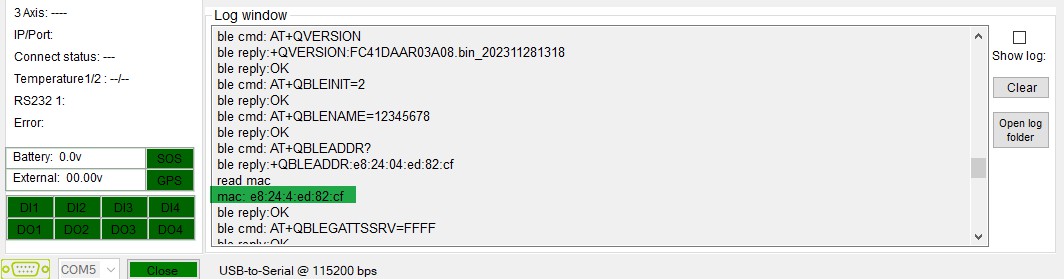
open the configurator, when device powers on, the mac address will print in the log window. Save this mac address.
here example mac is: E82404ED82CF
 3.Work at Teltonika side
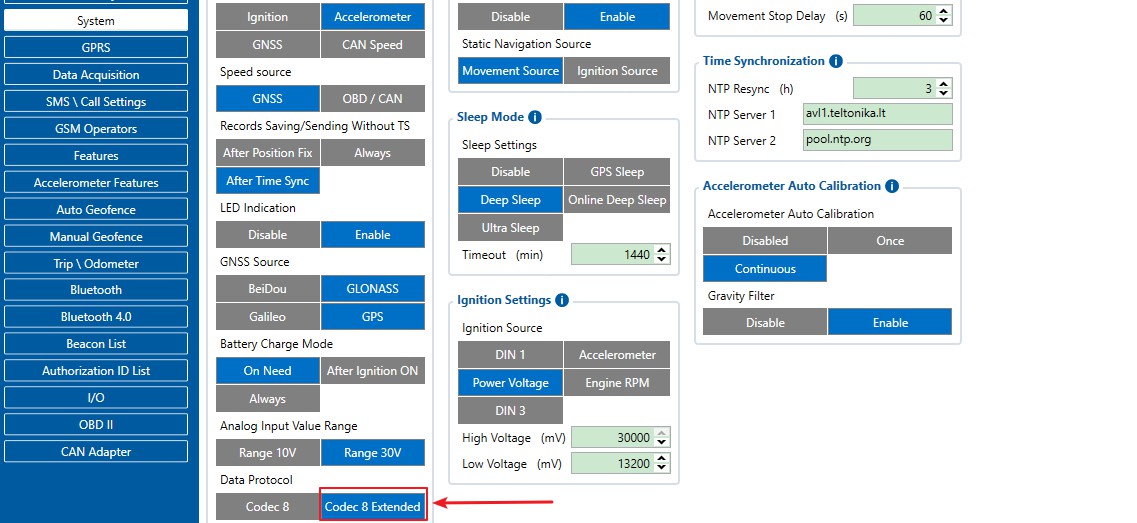
enable codec 8 extended feature.
 go to Bluetooth 4.0 table, enable Advanced
 save mac address to teltonika device
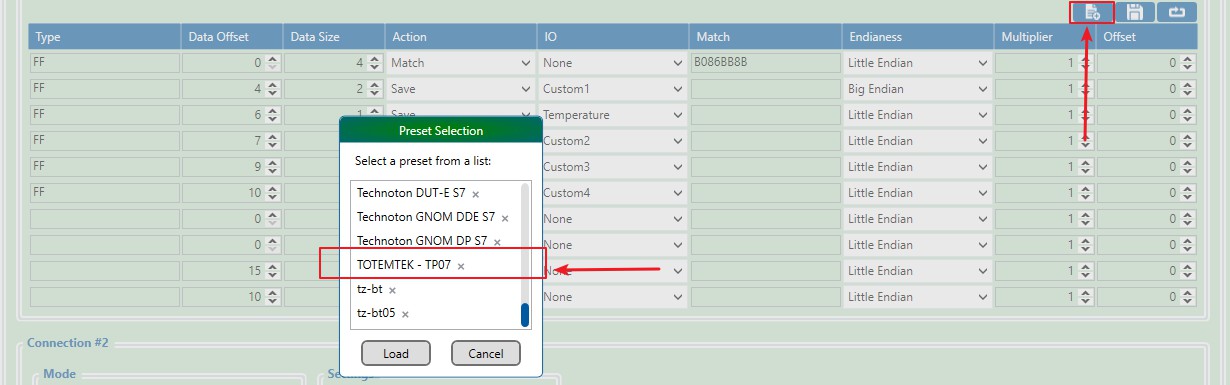
 load pre-setting file. this file can be download from here. (TOTEMTEK – TP07 – Preset File).
and copy this setting file to teltonika device configurator setting folder
once the document paste into the ‘Presets’ folder, the device name would list in the selection list as below.
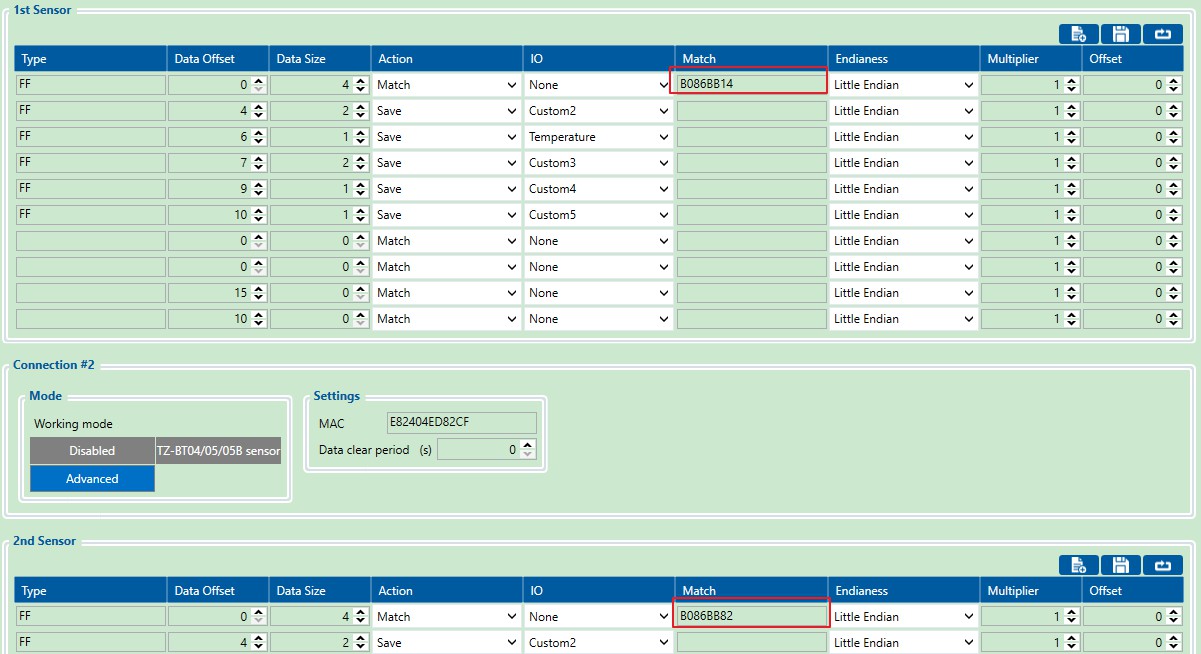
note: in this example, the sensor ID is: B086BB8B, this ID should be replaced to your own sensor id, like example below, sensor id: B086BB14 add to 2nd sensor.
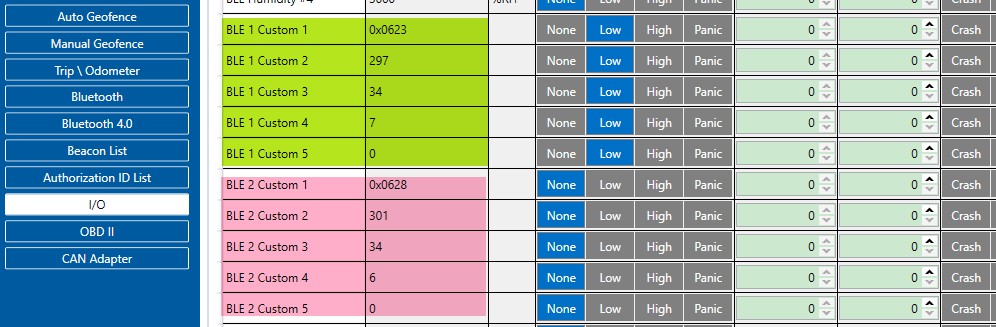
 after all these steps, go to ‘I/O’ tab.
Custom 1: pressure value in KPA (Hex). 0x0623 = 1571 Kpa;
Custom 2: Voltage. 297 = 2.97V;
Custom 3: State code 34 = 0x22(Hex);
Custom 4: Data index (0 – 15);
—————————- END —————————-
